The Scenario: Nine Skiers, Zero Common Calendars
It started as a casual idea in a text thread: "Breck this February, who's in?" Within minutes, seven thumbs-up and two maybes. But then reality set in.
Maya was in Denver. Carlos and his partner flew in from Chicago. Three more were based in Austin with school-age kids and fixed winter break windows. Rounding out the nine: a couple from Seattle with a mortgage closing date that couldn't move, and one last-minute addition from New York who just needed to know any dates before booking a flight.
The variables stacked fast:
- Six different employers, each with blackout periods in February
- A 5-bedroom chalet on Airbnb that needed a $1,400 security deposit with 48-hour confirmation
- Lift tickets $30–$50 cheaper when bought 3 weeks in advance
- One attendee with a gluten intolerance and one vegan — both needing dinner options mapped out
- Gear rental pre-booking at Christy Sports in Breck requiring headcount and boot sizes
The organizer — Maya — had tried coordinating a similar trip two years prior using a shared Google Sheet, a Doodle poll, and a Venmo request chain. It fell apart. The house was booked by someone else while the group was still debating dates. This time, she had SquadPlan.
Part 2 — How SquadPlan Handled Every Constraint
Step 1: Create the Event and Set the Frame
Maya created the event in under two minutes — name, event type (travel), and a rough date window of February 1–28. She left the exact dates open intentionally; that's the whole point of the availability system.
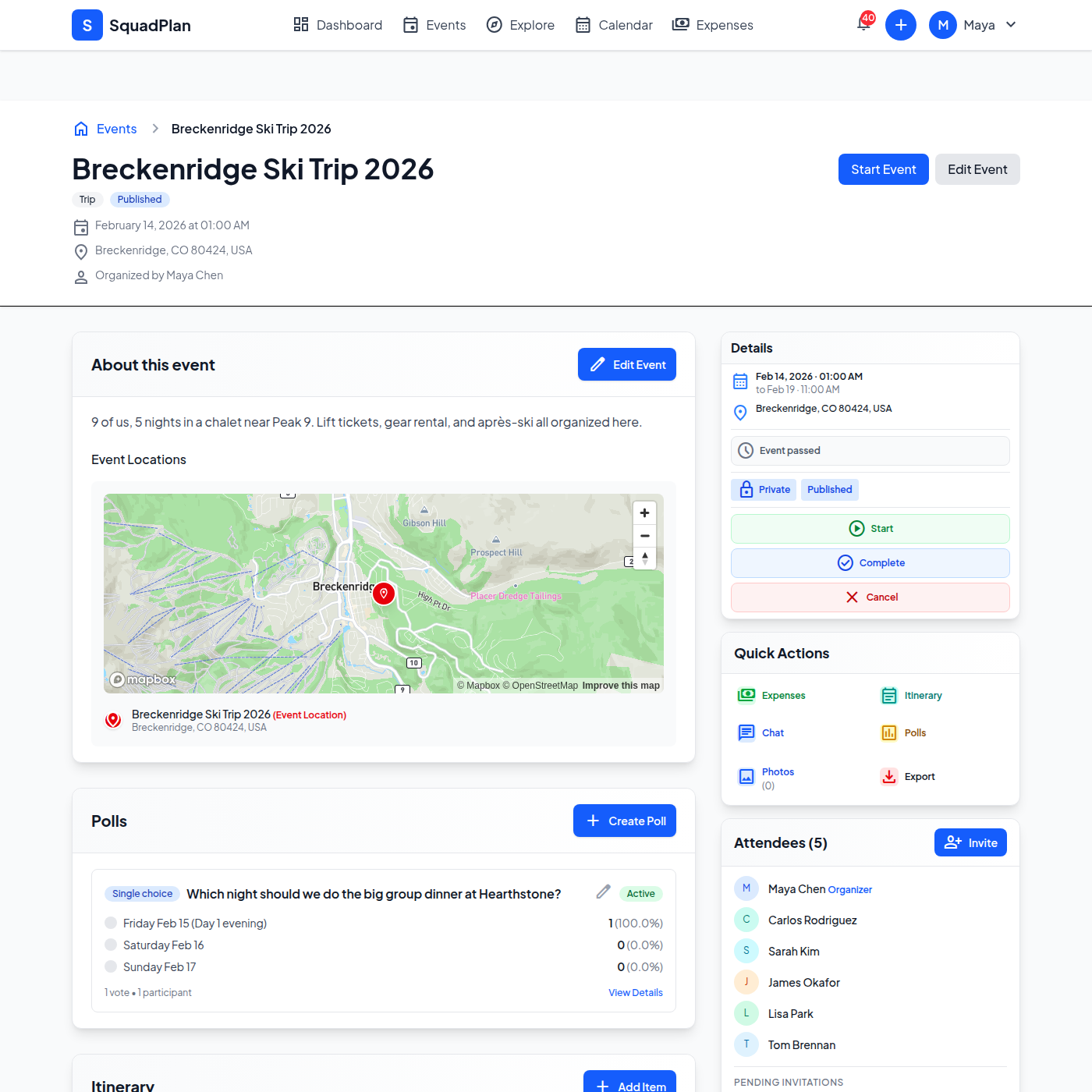
Creating a new group event takes under 2 minutes. Type, date range, and privacy setting — done.
Step 2: Collecting Availability Without the Back-and-Forth
Maya sent invites to all eight participants. Each person submitted their available windows — specific date ranges they could actually make it — rather than just marking individual days on a calendar. This matters for trips: you need to know if someone can do 3 nights vs 5, and whether they can extend at either end.
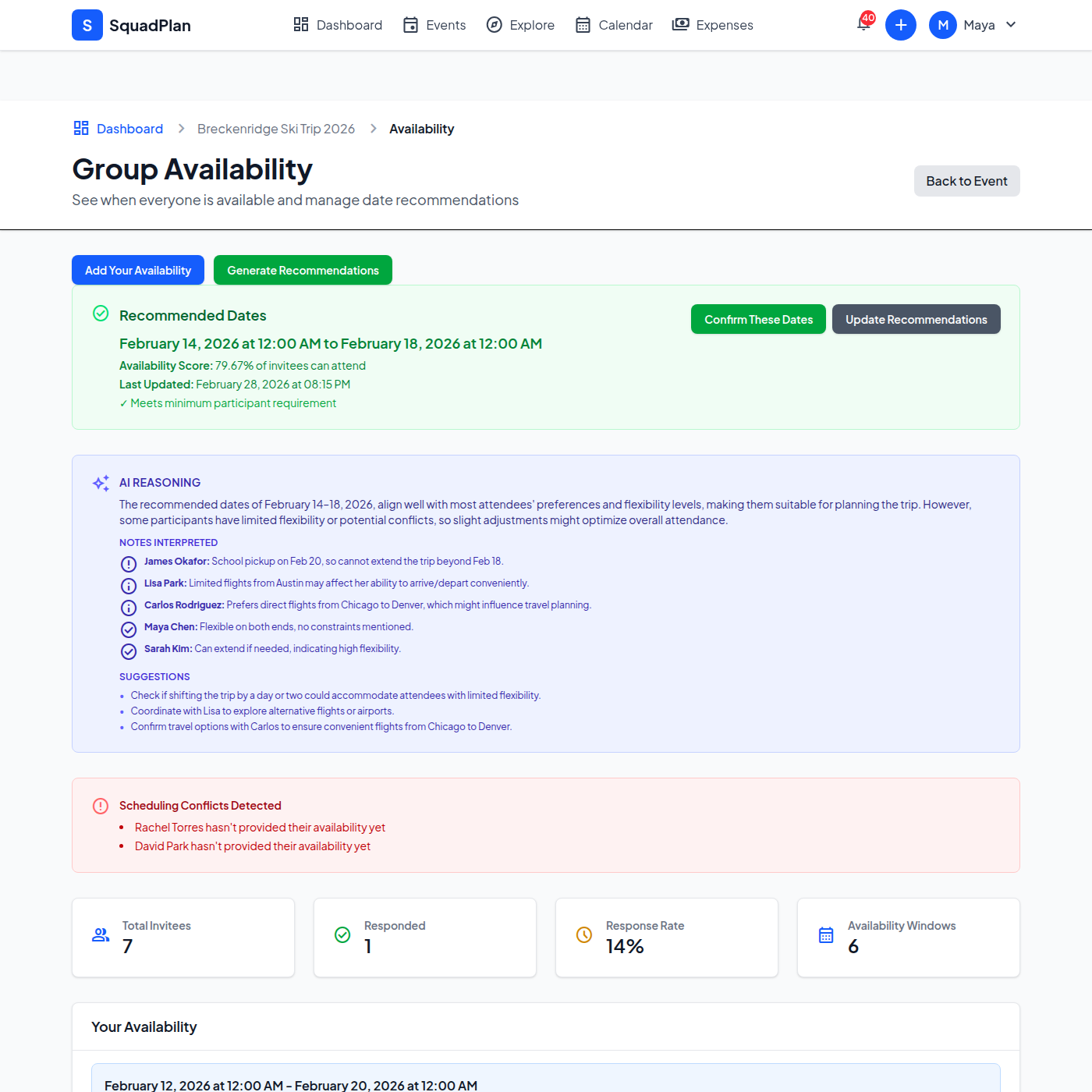
Everyone's availability in one view. The overlap zone surfaced February 14–19 as the optimal window — a Thursday-to-Tuesday run that got 8 of 9 people on the mountain together.
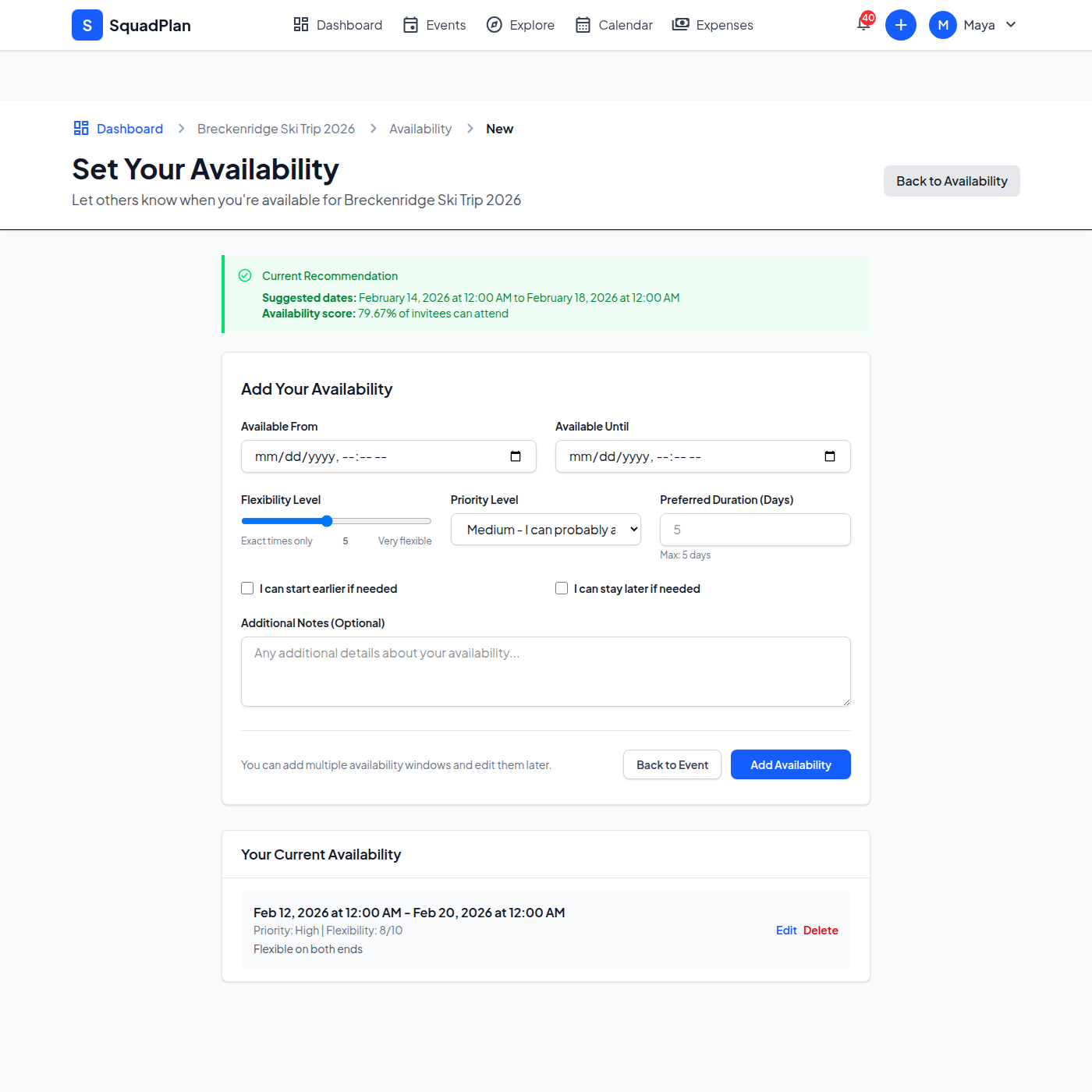
Each participant submits their own window with flexibility scores. "Can extend start" and priority flags let the optimizer weight business trips differently from casual preferences.
Why this beats a Doodle poll: Instead of binary yes/no per date, availability windows capture how flexible someone is. The Austin parents could shift one day either direction; the Seattle couple absolutely could not. That nuance changes the optimization.
Step 3: The Itinerary Builds Itself (Almost)
Once dates were locked, Maya built the day-by-day itinerary: airport pickup coordination, gear rental at Christy Sports, dinner reservations at Hearthstone Restaurant, and the après-ski schedule at Downstairs at Eric's. Everyone could see it, comment on it, and add their own items.
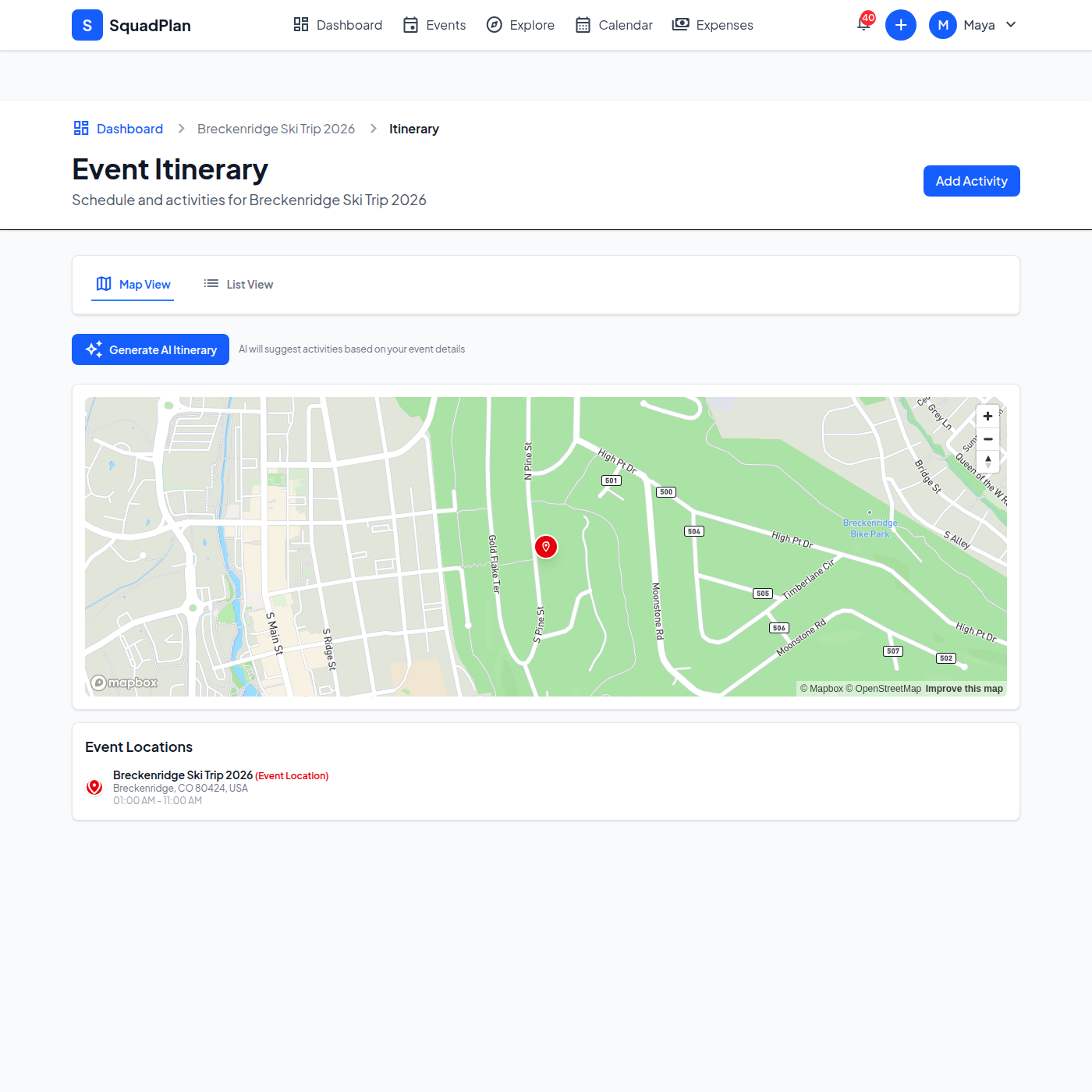
The shared itinerary becomes the single source of truth. Lift tickets, dinner spots, shuttle times — all timestamped and visible to everyone before anyone boards a plane.
Step 4: Splitting $7,200 Across Nine People Without a Spreadsheet
By the end of the trip, the group had collectively spent:
- $3,600 on the Airbnb (paid upfront by Maya)
- $1,200 on lift ticket pre-purchases (Carlos on his card)
- $880 on group dinners (split across three cards)
- $420 on gear rental deposits
- $1,100 in miscellaneous — groceries, firewood, mountain shuttle, one broken pole rental
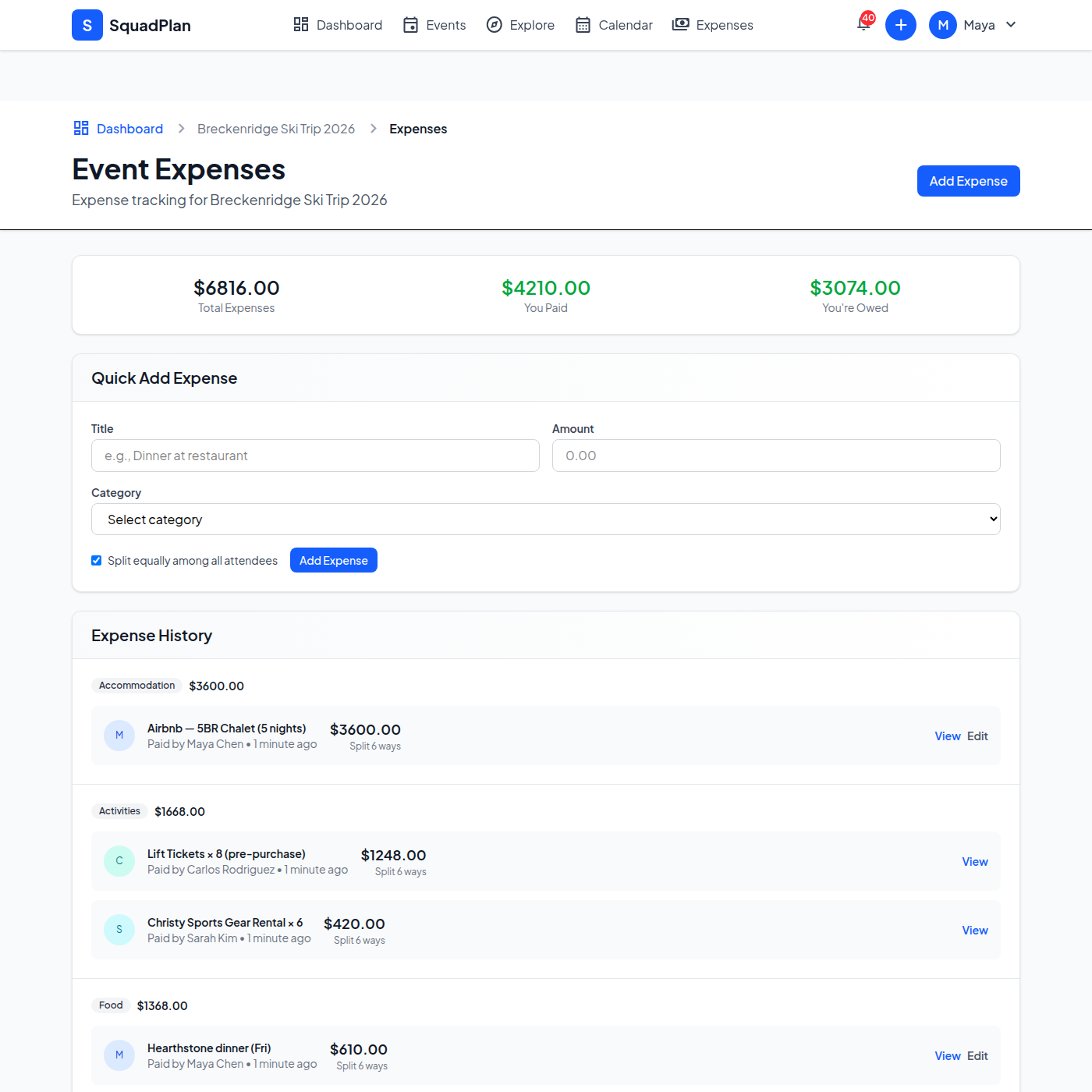
Every expense logged as it happened. No end-of-trip "wait, who paid for what?" — the running balance was always visible.
Adding an expense takes 30 seconds. Who paid, total amount, how to split (equally, by percentage, or custom amounts), and an optional note.
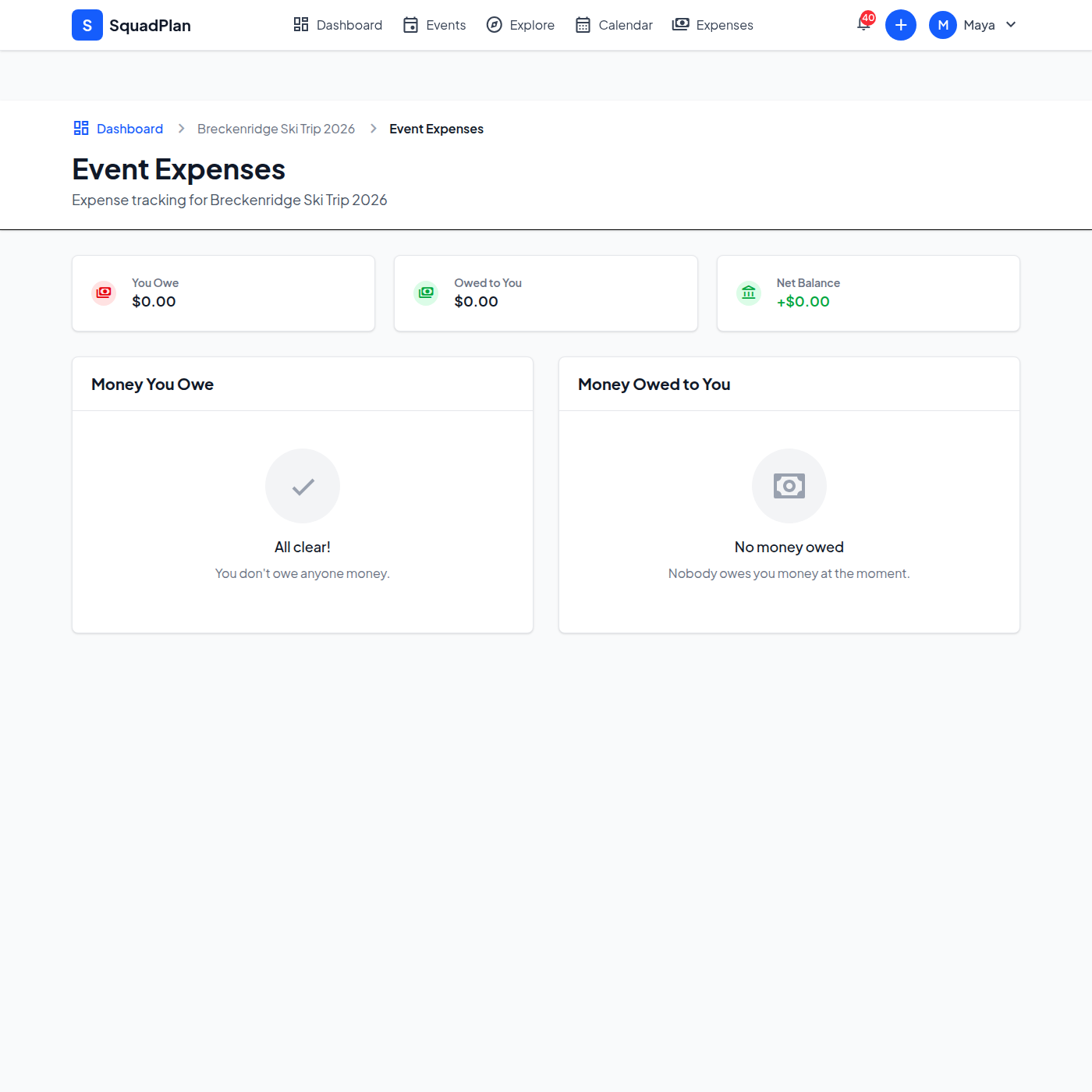
Settle-up view shows exactly who owes whom after all expenses are netted. Maya got repaid $1,280 in a single Venmo day instead of chasing nine separate transactions.
Step 5: Real-Time Group Chat Kept Everyone Informed
The group chat wasn't an afterthought — it replaced four separate text threads. Weather updates, gate changes, "anyone need a ride from DEN?", the dinner reservation confirmation — all in one place, attached to the event so nothing got buried in individual texts.
Event-specific group chat. Messages live with the event — no digging through iMessage history six months later to find the rental confirmation.
The trip happened. All nine made it. The house was booked within the 48-hour window, lift tickets were pre-purchased at the lower price, and the settle-up was done before everyone's flights home landed.